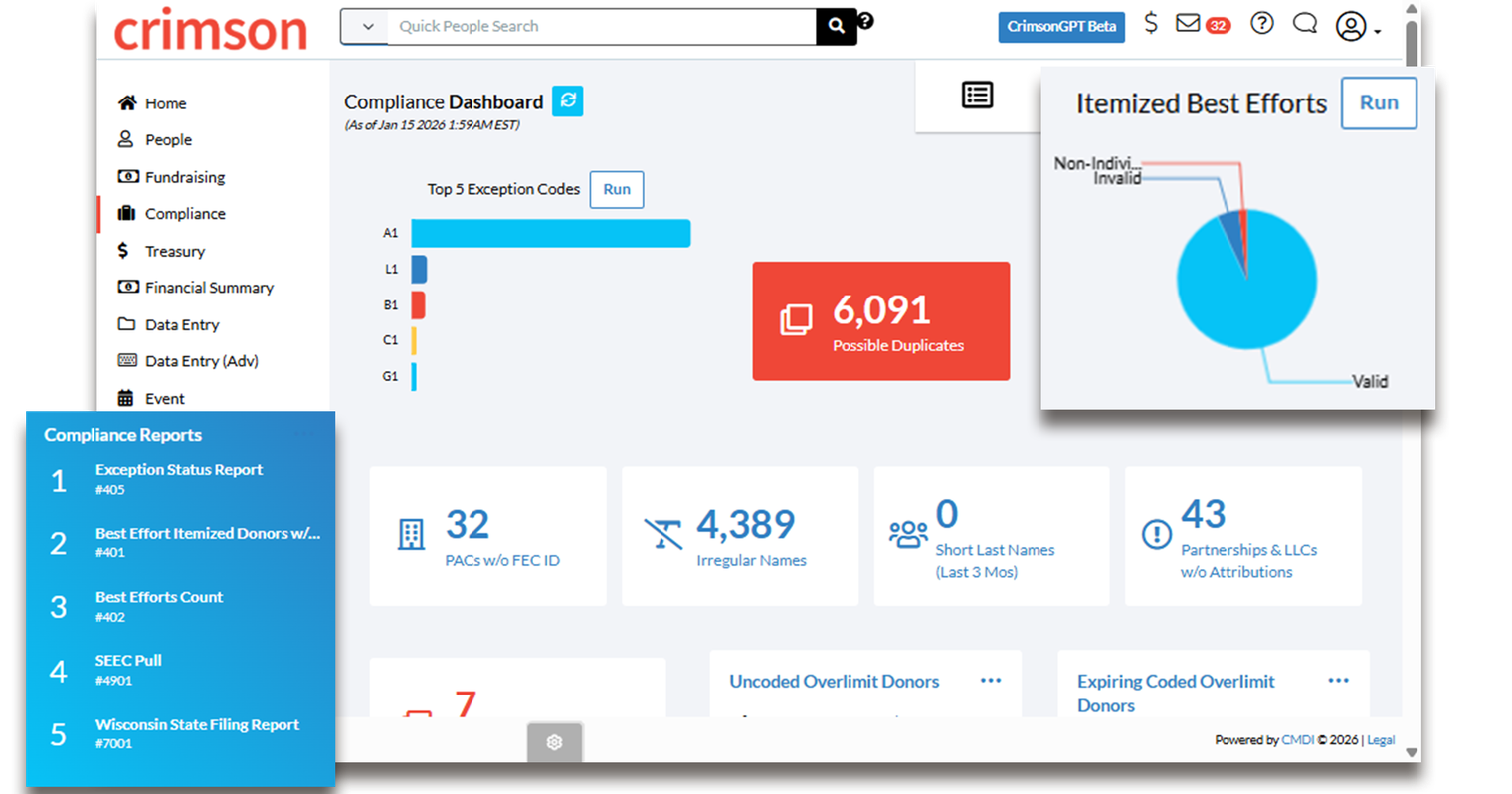
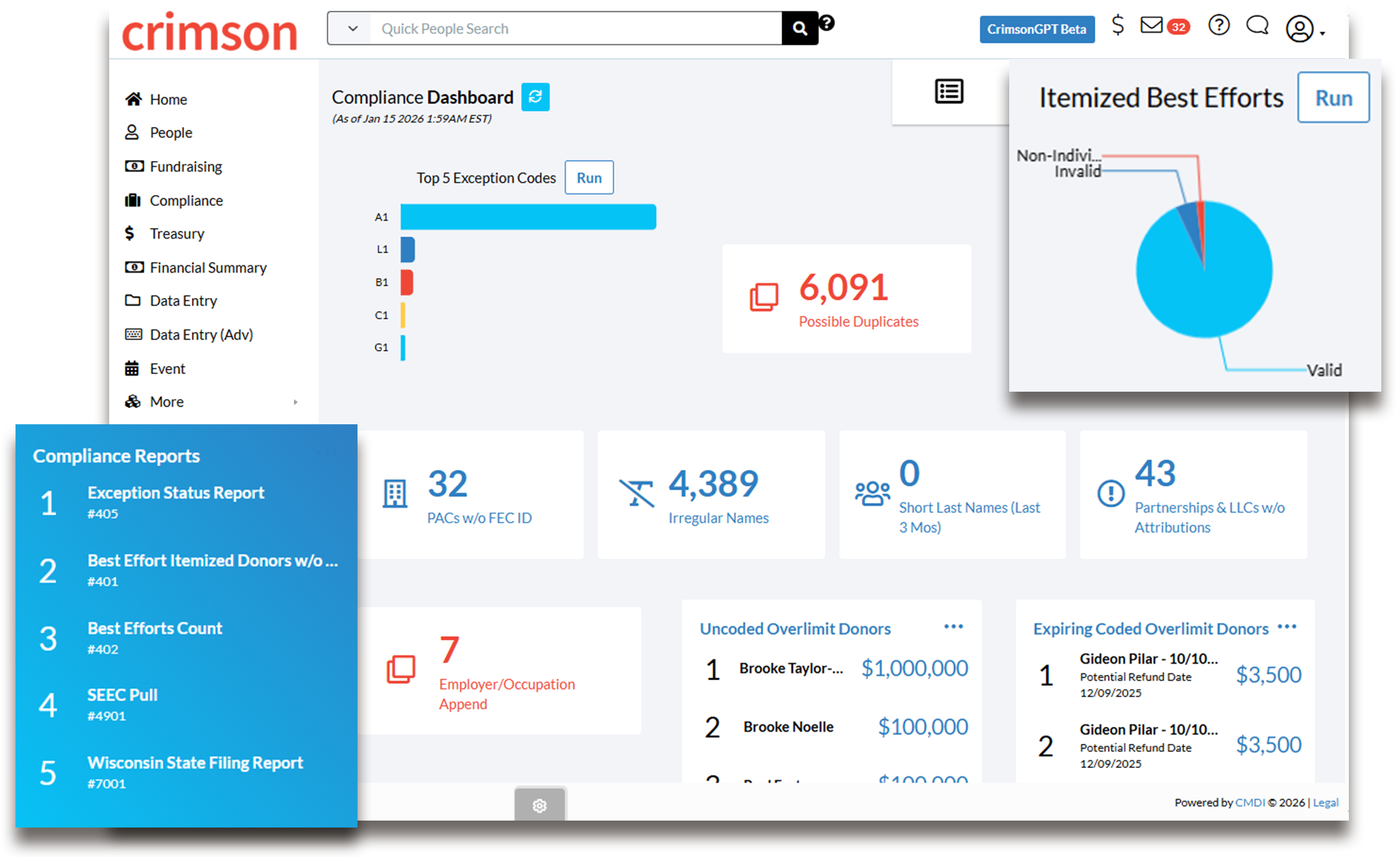
The Crimson Compliance Dashboard is your command center for maintaining FEC-compliant data. Designed to catch potential issues before they become problems, this dashboard alerts you to records that need review, helps you identify duplicates, and streamlines the compliance processes that keep your committee's reporting accurate and timely.
Why Compliance Matters
Staying FEC compliant isn't just about avoiding penalties. It's about maintaining the integrity of your committee's financial records and building trust with donors, supporters, and regulators. The Compliance Dashboard brings all your compliance tools together in one place, making it easier to catch issues early, address them efficiently, and ensure your reports are accurate every time.
By giving you clear visibility into potential problems and streamlined tools to fix them, the Compliance Dashboard transforms compliance from a reactive scramble into a proactive process that protects your committee and keeps your data clean.
Quick Access to Essential Compliance Tools
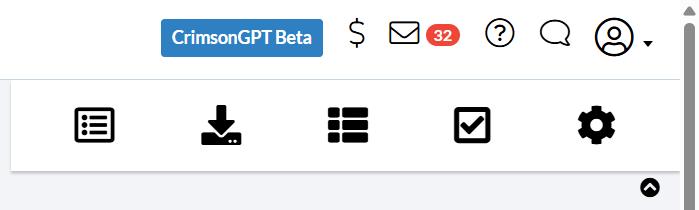
In the top right corner of the dashboard, the Dashboard Navigation Bar provides instant access to your most critical compliance tools:
CrimsonFiler
FEC Export
Compliance Settings
These shortcuts increase your efficiency, letting you move between compliance tasks without navigating away from your central hub.
Catch Duplicates Before They Cause Issues
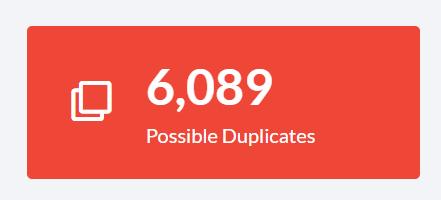
The red Possible Duplicates card opens Crimson's enhanced mass merging Deduping Tool, which allows you to merge multiple pairs of duplicate records at once. This tool now includes individuals and organizations, making it easier than ever to maintain a clean, accurate database.
By addressing duplicates proactively, you ensure your contribution limits are calculated correctly and your reports reflect accurate donor information.
Maintain Data Quality Standards

Four blue cards help you identify records that need attention:
PACs w/o FEC ID
Irregular Names
Partnerships & LLCs w/o Attributions
Each card generates a unique list with linked PIDs that open the corresponding people records, allowing you to make necessary updates quickly and efficiently.
Streamline Compliance Communications
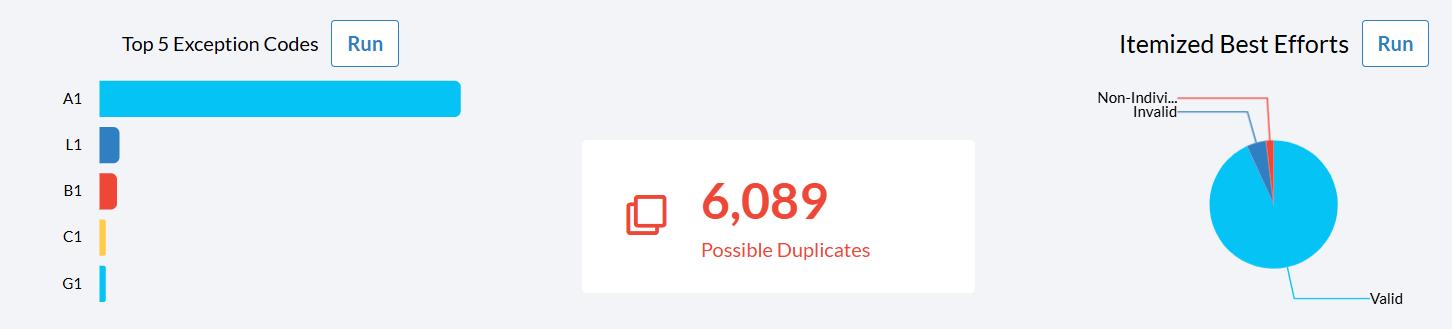
Two powerful action buttons help you manage compliance communications:
Exception Code Select allows you to pull records that need to receive specific compliance letters by fund code and exception code. This feature works with Crimson's exception code system to help you target the right donors with the right messages.
Best Efforts Select pulls all donors who need to be sent best efforts letters for occupation and/or employer information by fund code, helping you satisfy FEC best efforts requirements efficiently.
Address Your Highest-Priority Items
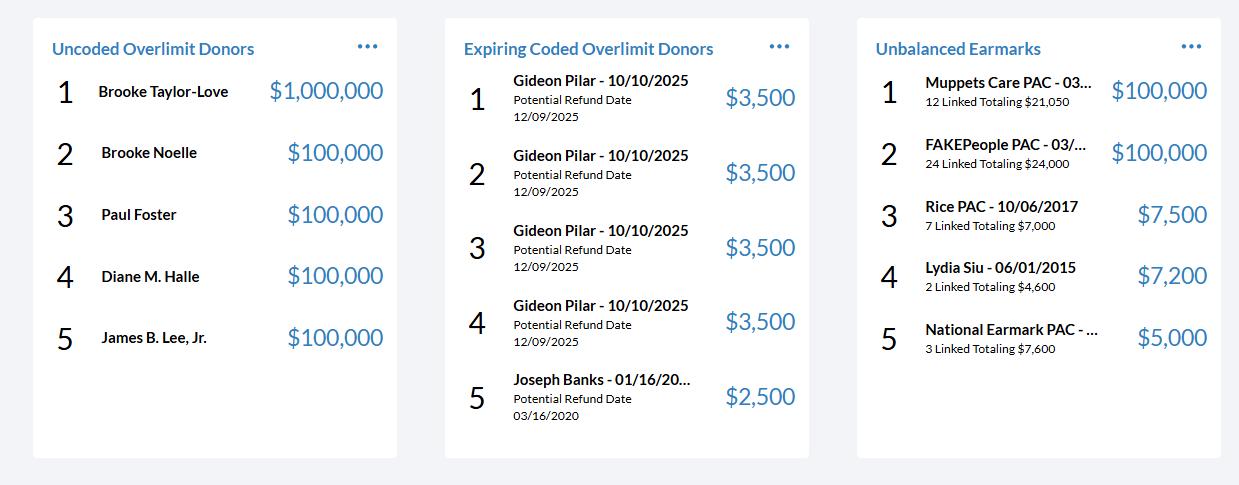
The Compliance Dashboard displays three critical lists showing the first 5 records with the largest amounts that need immediate attention:
Uncoded Overlimit Donors
Expiring Coded Overlimit Donors
Unbalanced Earmarks
Click any people record to open that particular contribution for review and adjustment. Use the menu button to view complete lists with hyperlinked IDs, and export these lists for offline review or record-keeping.
Run Reports On Demand
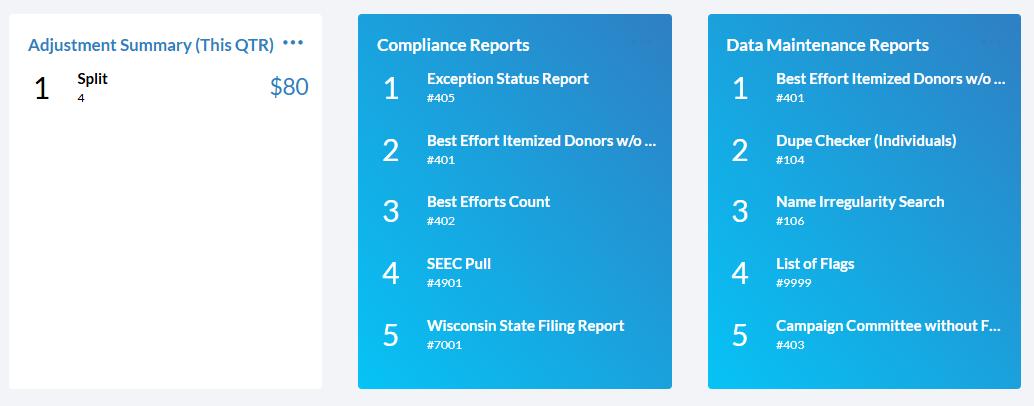
At the bottom of the Compliance Dashboard, you'll find comprehensive lists of Crimson Compliance Reports and Data Maintenance Reports. Click any report title to run it immediately or use the menu button to view all available compliance or data maintenance reports.